Why Just-in-Time Access Is Becoming a Security Priority
Just-in-time access use cases are getting more attention because the old access model no longer matches how modern teams work. Cloud teams need fast access. DevOps teams need emergency access. Customer success teams need limited access to customer records. Security teams need control, audit trails, and fewer standing privileges.
That is the real tension.
Business teams want speed. Security teams want least privilege. Attackers want permanent access.
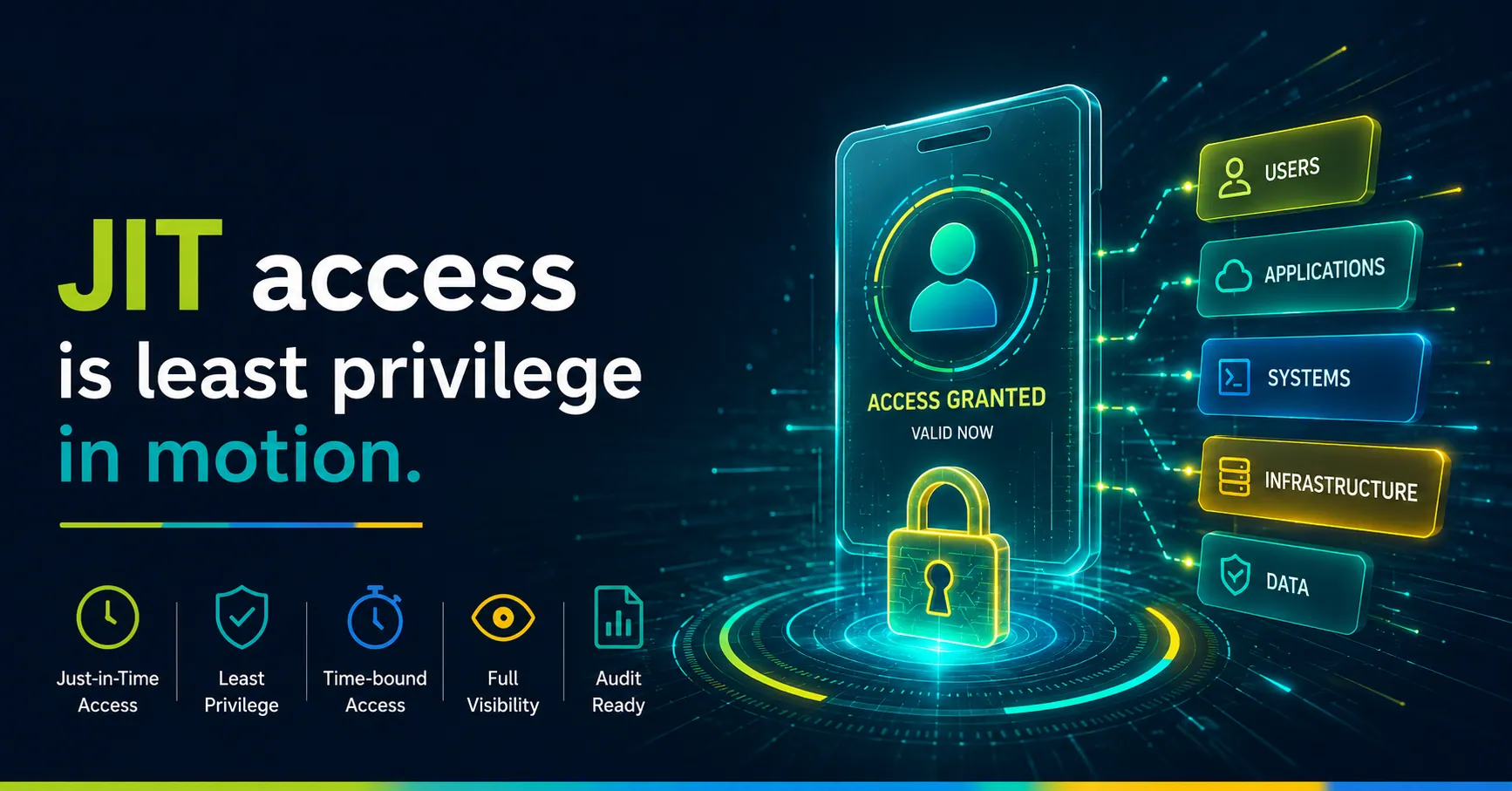
Just-in-time access, or JIT access, solves that gap by giving users temporary access only when they need it. Once the task ends, access expires. No lingering admin rights. No forgotten permissions. No “we’ll clean it up later” problem.
The reference article from Entitle explains JIT as a way to grant access for a specific time period and revoke it automatically when the time expires. It also highlights use cases such as production access, break-glass access, customer success access, admin role escalation, SSH access, and JIT secrets creation.
That is the right starting point.
But let’s go deeper from a security leader’s view.
JIT access is not just a tool feature. It is a better operating model for privileged access.
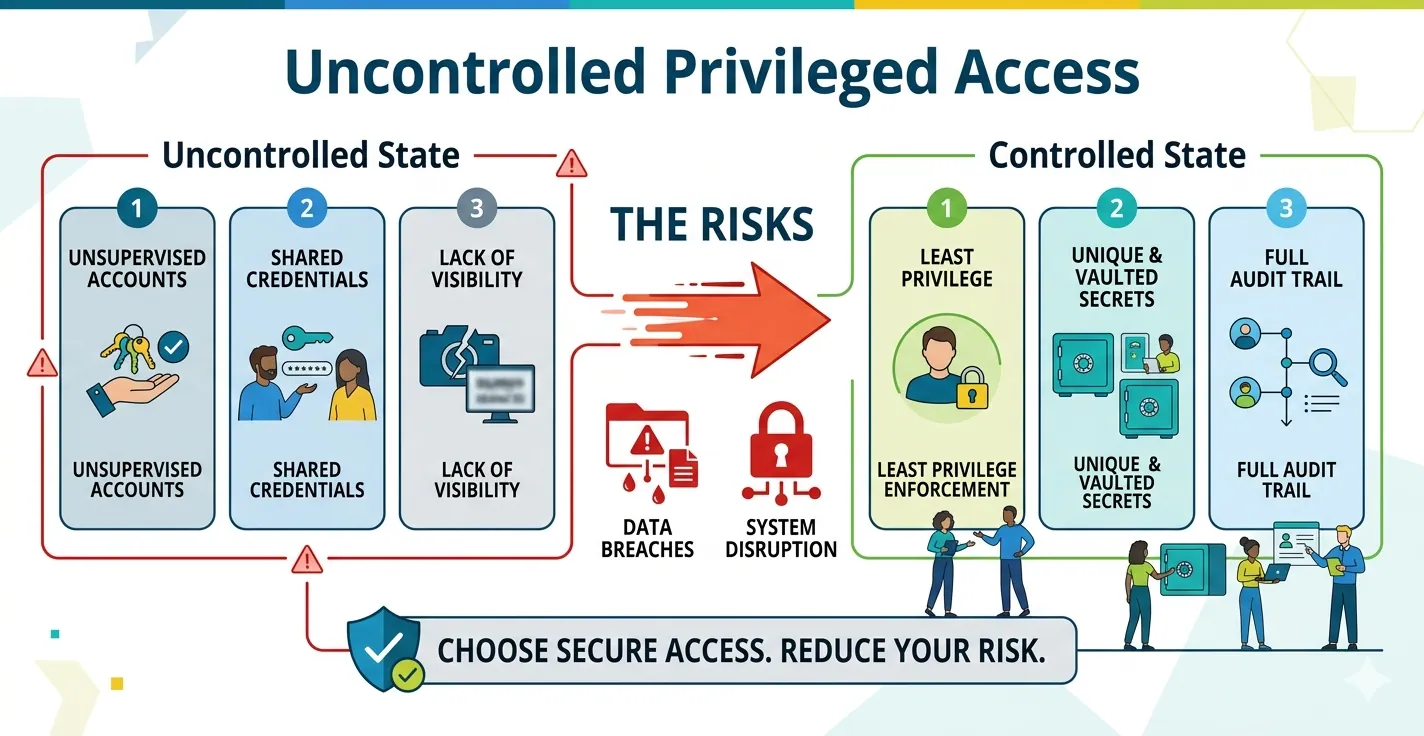
The Core Problem: Standing Access Creates Standing Risk
Permanent access feels convenient until it becomes the entry point for an attack.
A developer keeps production access after a release. A cloud admin keeps broad AWS permissions after a migration. A contractor still has GitHub access after the project ends. A support team member can view sensitive customer data anytime, even when no case requires it.
This is how risk builds.
Slowly. Quietly. Across teams.
The 2025 Verizon DBIR showed that credential abuse remained a major breach path, with reporting around the report showing stolen credentials used in 22% of breaches and 88% of basic web application attacks involving stolen credentials.
That is why standing access is dangerous. If attackers steal a valid credential tied to broad access, they do not need to break in. They can log in and move.
CyberArk’s 2025 Identity Security Landscape also shows how fast the identity surface is expanding. Its report says machine identities outnumber human identities by 82:1, and AI will be the top creator of new identities with privileged and sensitive access in 2025.
That means the access problem is no longer only about employees.
It includes service accounts, automation accounts, workloads, CI/CD secrets, bots, and AI-driven identities.
JIT access helps security teams reduce that exposure by removing unnecessary always-on permissions.
What Just-in-Time Access Means in Practice
Just-in-time access gives users temporary, controlled access to a system, role, secret, or dataset when a business need exists.
The flow is simple:
A user requests access.
The system checks policy, role, risk, and context.
Access gets approved automatically or by a reviewer.
The user gets limited access for a defined time.
Access gets revoked automatically.
That last step matters most.
Automatic revocation removes the human cleanup problem. Nobody needs to remember to remove access after the incident, shift, ticket, or deployment ends.
That is where JIT becomes powerful.
It turns access from a permanent entitlement into a temporary business decision.
HTML Section
What Just-in-Time Access Means in Practice
Just-in-time access gives users temporary, controlled access to a system, role, secret, or dataset when a real business need exists.
Request
A user requests access for a specific task, system, or incident.
Check
The system checks policy, role, risk, identity, and business context.
Approve
Access gets approved automatically or by a manager, owner, or reviewer.
Limit
The user gets access only for a defined time window and task scope.
Revoke
Access gets removed automatically when the window closes.
That last step matters most.
Automatic revocation removes the human cleanup problem. Nobody needs to remember to remove access after the incident, shift, ticket, or deployment ends.
That is where JIT becomes powerful. It turns access from a permanent entitlement into a temporary business decision.
Use Case 1: On-Call Access to Production
Production access is one of the strongest use cases for JIT.
On-call engineers need speed. When a system goes down at 2:00 a.m., nobody wants a slow ticket queue. At the same time, giving every engineer permanent production access creates unnecessary risk.
JIT access gives the on-call engineer the right access for the incident window.
For example, an engineer can request production database read access for 60 minutes to troubleshoot an outage. The approval can happen through policy, manager approval, or incident severity. Once the window closes, access disappears.
This helps security and DevOps work together.
The engineer gets speed. Security gets control. Compliance gets an audit trail.
Entitle’s use-case article also points to on-call production access as a natural JIT scenario because teams need quick access during emergencies without leaving broad access open all the time.
The best setup includes:
- Clear role definitions
- Time-bound access windows
- Session logging
- Ticket or incident ID capture
- Automatic revocation
- Post-incident access review
For many companies, this is the first JIT use case to implement.
It has clear risk, clear business value, and strong executive support.
Use Case 2: Break-Glass Access During Emergencies
Break-glass access is emergency access for serious incidents.
Think ransomware response, cloud outage, identity provider failure, production database corruption, or a critical security breach.
In many companies, break-glass accounts exist but remain poorly controlled. Some have static credentials. Some lack strong monitoring. Some sit outside normal access governance.
That defeats the purpose.
JIT makes break-glass access safer.
Security teams can define who can request emergency access, which systems they can reach, how long access lasts, and what logging is required. The access should remain highly restricted, heavily monitored, and reviewed after use.
Entitle’s article also describes JIT as a way to grant incident response teams immediate, time-bound access during emergencies, with documentation of reason, action, and outcome.
A strong break-glass JIT process should include:
- Emergency reason capture
- MFA or phishing-resistant authentication
- Short access duration
- Session recording
- Automatic alerting to security leaders
- Mandatory post-event review
Break-glass access should not become a backdoor.
It should be rare, visible, and defensible.
Use Case 3: Temporary Admin Role Escalation
Admin access is where many breaches become serious.
A regular user account may create limited damage. An admin account can change configurations, disable controls, create users, access sensitive data, or move across systems.
That is why permanent admin access should be the exception.
JIT role escalation lets a user work as a normal user by default, then request admin permissions only for a specific task.
For example:
A cloud engineer needs AWS admin access for 45 minutes to update a production network rule.
An IT admin needs Okta admin access for 30 minutes to fix a user provisioning issue.
A database administrator needs elevated access for two hours to perform maintenance.
Once the task ends, the user returns to normal access.
This supports least privilege without slowing operations.
It also reduces blast radius. If attackers compromise an account outside the JIT window, they do not automatically inherit high privilege.
Use Case 4: Customer Success Access to Customer Data
Customer-facing teams often need sensitive access.
Customer success, support, and implementation teams may need to view account details, usage logs, configuration data, billing records, or support history.
But they do not need access to everything, all the time.
JIT access can grant temporary customer-specific access tied to a support ticket, escalation, or onboarding workflow.
For example, a customer success manager can request access to a customer workspace for two hours to troubleshoot a configuration issue. The access gets logged, limited, and revoked when the task ends.
This protects customer trust.
It also helps with compliance, especially in industries where privacy, auditability, and data minimization matter. Entitle also mentions customer success access to customer data as a JIT use case that can support faster issue resolution and provide audit trails for compliance needs.
A strong process should capture:
- Customer account
- Ticket number
- Reason for access
- Duration
- Data touched
- Actions taken
This gives support teams speed without turning customer data into an open field.
Use Case 5: Cloud Access Governance
Cloud access changes fast.
Teams create roles, policies, service accounts, permissions, buckets, clusters, and temporary environments every day. Over time, access grows beyond what anyone intended.
JIT access works well for cloud governance because cloud environments need both flexibility and strict control.
Common examples include:
- Temporary AWS IAM role access
- Azure subscription owner access
- GCP project admin access
- Kubernetes cluster admin access
- Cloud storage access for investigation
- Temporary access to logs or monitoring tools
Cloud teams should avoid permanent high-privilege roles wherever possible.
Instead, they can use policy-driven JIT workflows with approval based on risk. Low-risk access can get automatic approval. High-risk access can require manager, system owner, or security approval.
This keeps cloud teams moving while reducing hidden access buildup.
Need better control over cloud and admin access?
Build a practical access governance model across cloud, DevOps, and privileged accounts.
Use Case 6: DevOps and CI/CD Access
DevOps pipelines often carry sensitive access.
Build systems need credentials. Deployment tools need permissions. CI/CD jobs may touch code, containers, cloud infrastructure, secrets, and production systems.
That makes DevOps a high-value target.
JIT access can reduce risk by granting temporary permissions for deployment, troubleshooting, infrastructure changes, or pipeline maintenance.
For example, a DevOps engineer may need short-term access to a production Kubernetes cluster during a failed deployment. A pipeline may need a short-lived credential to deploy a service. A release manager may need temporary write access to a production repository.
The key is to avoid long-lived credentials wherever possible.
Short-lived tokens, scoped permissions, and strong audit logs help reduce exposure.
This is especially important as secrets sprawl grows. GitGuardian’s 2025 reporting found roughly 29 million leaked secrets on GitHub in 2025, with AI-assisted coding increasing risky commits and AI service credential leaks rising 81% year over year.
If secrets are everywhere, long-lived access becomes a bigger problem.
JIT helps shrink the window.
Use Case 7: Contractors and Third-Party Vendors
Third-party access is always tricky.
Contractors need access to finish work. Vendors need access to systems they support. External consultants may need cloud, code, logs, or customer environment access.
But permanent third-party access is dangerous.
People leave projects. Contracts end. Vendors change teams. Old accounts remain.
JIT access gives external users access only when a defined task requires it.
For example, a vendor can access a server for two hours to fix an integration issue. A contractor can access a Git repository during an active sprint. A consultant can access a reporting system for a scheduled review.
Once the task ends, access closes.
This reduces risk without making vendor work painful.
The approval flow should include the internal owner. Someone inside the business must own the access decision.
Use Case 8: Legacy Systems and SSH Access
Not every enterprise runs on clean, modern identity architecture.
Legacy systems still exist. SSH access still exists. Non-federated systems still exist. Old databases, internal tools, and custom applications still sit inside many environments.
JIT access can help here too.
Entitle’s article discusses JIT access with SSH in non-federated and legacy environments, while also noting that approaches like Identity-Aware Proxy and AWS Systems Manager are often better modern options for access management.
The lesson is practical.
Do not wait for every legacy system to become modern before improving access.
Start by adding time-bound access, request approvals, logging, and session visibility around the highest-risk systems.
Modernize later.
Reduce risk now.
Use Case 9: Secrets-Based Access
Some systems still depend on secrets, tokens, keys, and shared credentials.
JIT can help by creating or granting access to secrets only when needed. In some models, users request access to a secret vault for a limited time. In stronger models, the system creates a short-lived credential just in time and sends it securely to the user or workload.
That second model is cleaner.
The secret exists for less time. The exposure window shrinks. The audit trail improves.
For databases, APIs, internal tools, and legacy systems, JIT secrets can reduce the risk of shared, static credentials.
Still, the best long-term direction is to move toward identity-aware access, short-lived tokens, and managed access brokers where possible.
How to Prioritize JIT Access Implementation
Do not start everywhere. That creates friction and slows adoption. Start where the risk is high and the workflow is clear.
Production Access
Start with systems where mistakes, misuse, or stolen credentials can cause immediate business damage.
Cloud Admin Roles
Limit broad AWS, Azure, or GCP privileges to approved time windows and specific tasks.
Break-Glass Access
Keep emergency access fast, but controlled, logged, and reviewed after every critical event.
Customer Data Access
Give support and success teams temporary access only when a ticket or customer issue requires it.
DevOps and CI/CD Access
Control access to deployment tools, pipelines, production repositories, and Kubernetes environments.
Third-Party Access
Give contractors and vendors access only for the active project, support task, or approved window.
Legacy and SSH Access
Add time-bound control, approvals, and logging around older systems that still carry business risk.
Secrets-Based Workflows
Reduce exposure from static secrets by moving toward short-lived credentials and controlled access.
Quick wins first. Wider rollout next.
This order gives security leaders quick wins and gives business teams visible value. JIT should not feel like a security tax. It should feel like a smarter access path.
Common Mistakes to Avoid
The first mistake is making approvals too manual.
If every access request needs human approval, teams will bypass the process. Use automation where risk is low. Use human approval where impact is high.
The second mistake is ignoring user experience.
Developers, admins, and support teams need simple workflows. Slack, Teams, CLI, ticketing system, and IAM integrations matter.
The third mistake is treating JIT as only a cloud feature.
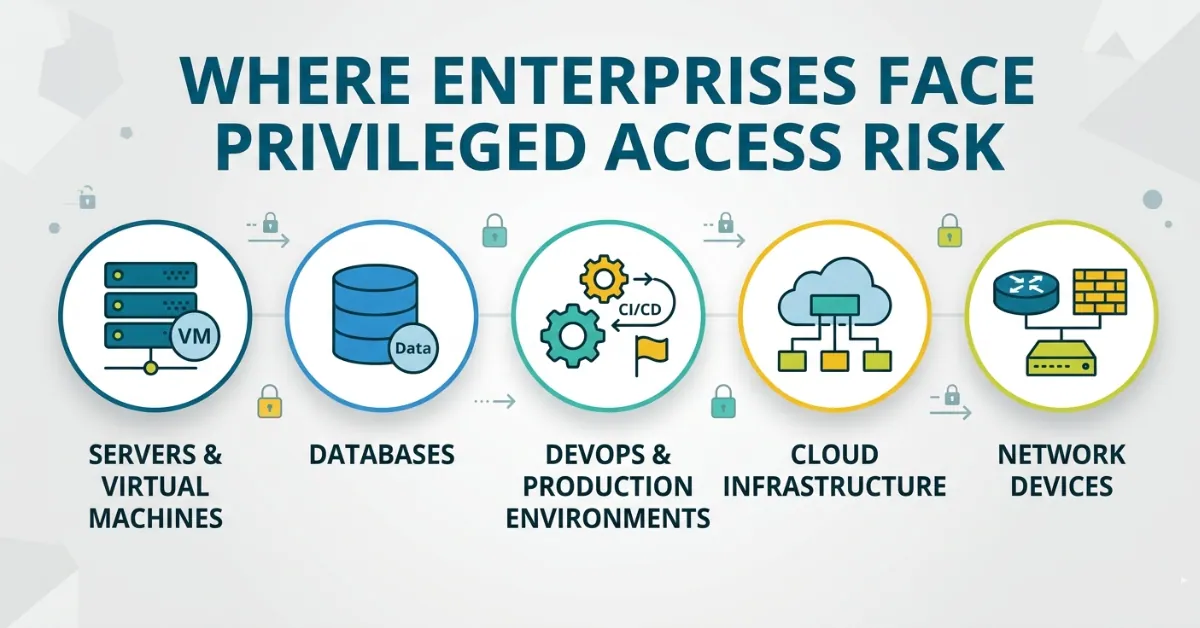
JIT applies to production systems, SaaS platforms, customer data, databases, admin roles, CI/CD tools, and legacy environments.
The fourth mistake is missing audit context.
A log that says “access granted” is not enough. You need to know who requested access, why, who approved it, what resource they accessed, what they did, and when access ended.
The fifth mistake is leaving machine identities out.
Modern access risk includes service accounts, workloads, automation, and AI-driven identities. CyberArk’s 2025 report shows how much this area is growing, especially as machine identities outnumber human identities by a wide margin.
Final Takeaway
Just-in-time access is not about slowing people down.
It is about removing access that should not exist all the time.
That is the real value.
Production teams still get access during incidents. Customer teams still resolve issues. DevOps teams still deploy. Vendors still support systems. Security teams still get the control they need.
But the default changes.
Access is no longer permanent. It becomes temporary, approved, logged, and revoked.
That is how enterprises move toward least privilege without breaking operations.
And for most security leaders, that is the win.
FAQ
What is just-in-time access?
Just-in-time access gives users temporary access to systems, data, or privileged roles only when they need it. Access expires automatically after a defined time window.
What are common just-in-time access use cases?
Common just-in-time access use cases include production access, break-glass access, cloud admin role escalation, customer data access, DevOps workflows, contractor access, SSH access, and secrets-based access.
How does JIT access reduce security risk?
JIT access reduces security risk by removing permanent privileged access. If an account gets compromised outside the approved access window, the attacker has fewer permissions to misuse.
Is JIT access the same as least privilege?
JIT access supports least privilege, but they are not exactly the same. Least privilege limits what users can access. JIT limits when they can access it.
Should JIT access be automated?
Yes, many JIT workflows should be automated. Low-risk requests can use policy-based approval, while high-risk requests should involve a system owner, manager, or security approver.
Where should enterprises start with JIT access?
Start with production access, cloud admin roles, break-glass access, and customer data access. These areas usually carry high risk and clear business value.