Most organizations don’t get breached because of a sophisticated attack. They get breached because someone had access they shouldn’t have had in the first place.
That’s the uncomfortable reality behind uncontrolled privileged access.
I’ve seen this across different environments — SaaS companies, enterprise IT setups, even teams that consider themselves security-mature. They invest in tools, they run audits, they check compliance boxes. Yet access keeps expanding quietly in the background.
Over time, nobody questions it.
And that’s where the problem starts.
Because privileged access, once created, rarely gets reduced. It only grows.
What Uncontrolled Privileged Access Really Means
This isn’t about having privileged access. Every system needs it.
The issue is when access exists without clear ownership, visibility, or purpose.
In most companies, that doesn’t show up as a single big problem. It shows up as small, acceptable decisions that accumulate over time.
A developer gets temporary admin rights to fix something urgent.
A support engineer gets elevated access “just in case.”
A service account gets broader permissions to avoid breaking workflows.
None of these decisions look risky in isolation.
But together, they create an environment where access is no longer controlled — it’s assumed.
And once access becomes assumed, it stops being monitored properly.
Why This Becomes Dangerous Faster Than Teams Expect
The risk with privileged access is not how it’s created. It’s how long it stays.
Most organizations don’t have a problem granting access. They have a problem removing it.
That’s where exposure builds.
An account that was meant for a one-time use remains active for months. A shared admin login becomes the default way to access systems. A service account quietly accumulates more permissions than any individual user.
At that point, you don’t need a sophisticated attacker.
You just need someone — internal or external — to find and use what already exists.
Recent breach data makes this clear. Identity-based attacks continue to dominate, and attackers increasingly rely on valid credentials rather than exploiting vulnerabilities.
That changes the conversation completely.
The question is no longer “Are we protected?”
It becomes “Do we have access that shouldn’t exist?”
How This Shows Up in Real Organizations
When you look closely, the patterns are consistent.
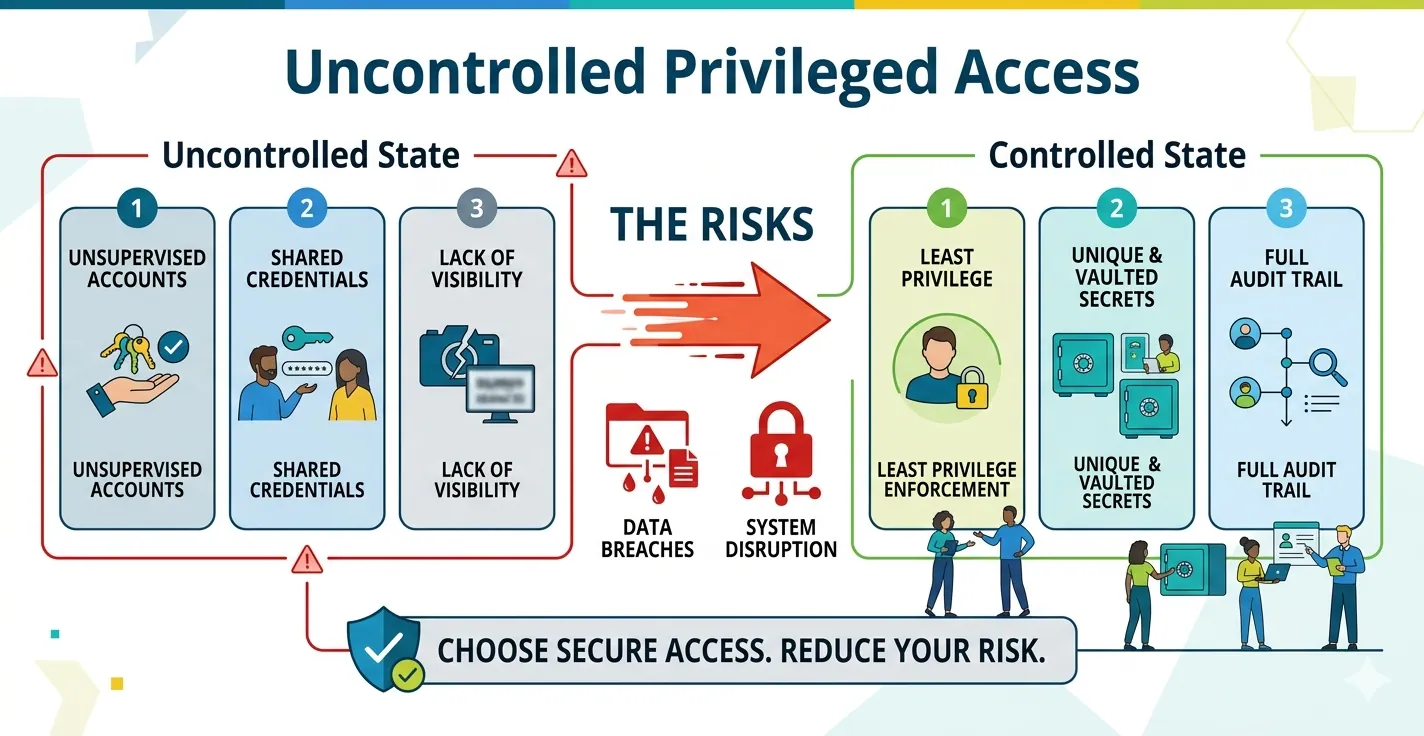
You’ll see teams relying on shared admin accounts because it simplifies operations. It works, until you need accountability and can’t trace who did what.
You’ll find dormant privileged accounts that nobody owns anymore. They were created for a project, a contractor, or an emergency. The need is gone, but the access remains.
Service accounts are often the biggest blind spot. They run critical processes, so teams avoid touching them. Over time, they end up with far more permissions than necessary.
Then there’s temporary access. It’s rarely temporary. It just becomes another layer of permanent exposure.
None of this feels urgent in day-to-day operations. That’s exactly why it persists.
The Business Impact Most Teams Underestimate
This isn’t just a technical issue sitting inside security teams. It has direct business impact.
When privileged access is not controlled, you lose visibility. And once visibility is gone, decision-making suffers.
Security teams can’t confidently answer who accessed what. Audit teams spend weeks pulling reports. Leadership loses confidence in compliance readiness.
More importantly, risk increases quietly.
Insider threats become harder to detect. Privilege escalation becomes easier. Credential abuse becomes more likely.
IBM’s latest breach report puts the average cost of a breach close to $5 million. But beyond the number, the real damage is operational disruption and trust loss.
And in most of these cases, the root cause traces back to access that should not have existed.
Why This Problem Gets Worse in Modern Environments
If this was only an on-premise issue, it would be manageable. But modern environments make it more complex.
Cloud platforms introduce dynamic permissions. Access changes frequently, often through automation. Manual tracking doesn’t keep up.
SaaS tools add another layer. Each platform has its own access model, its own admin roles, and its own blind spots.
DevOps workflows depend heavily on non-human identities. These service accounts often run with elevated privileges, and they rarely go through the same review processes as human users.
Then there’s remote work. The network is no longer the boundary. Identity is.
All of this increases the number of access points while reducing visibility.
That’s why uncontrolled privileged access is no longer a niche security issue. It’s a systemic risk.
Zero Standing Privileges in PAM: 2026 Security Shift
Every breach report tells the same story. Someone logs in. Not breaks in. Not exploits a zero-day. Just logs in-with a valid credential that should never have existed in the first place. I’ve seen this pattern across multiple environments. Mature teams. Strong tooling. Solid budgets. And still, the entry point is almost always the same: standing access that nobody questioned.
Signs Your Organization Has an Access Problem
Most teams don’t recognize the problem until something breaks or an audit exposes it.
But the signals are usually there.
If your team struggles to answer who has privileged access, that’s a clear indicator.
If access reviews feel like a manual, time-consuming exercise, that’s another.
If multiple users rely on shared credentials, accountability is already compromised.
If removing access feels risky because it might break something, it means permissions have grown without control.
And if audit preparation turns into a reactive effort every time, the system is not working as intended.
These are not isolated issues. They point to a deeper gap in privileged access management and governance.
How Leading Teams Are Reducing This Risk
The shift I’ve seen work consistently is simple in principle, but requires discipline in execution.
It starts with least privilege. Not as a policy, but as an active practice. Access is defined clearly, reviewed regularly, and limited intentionally.
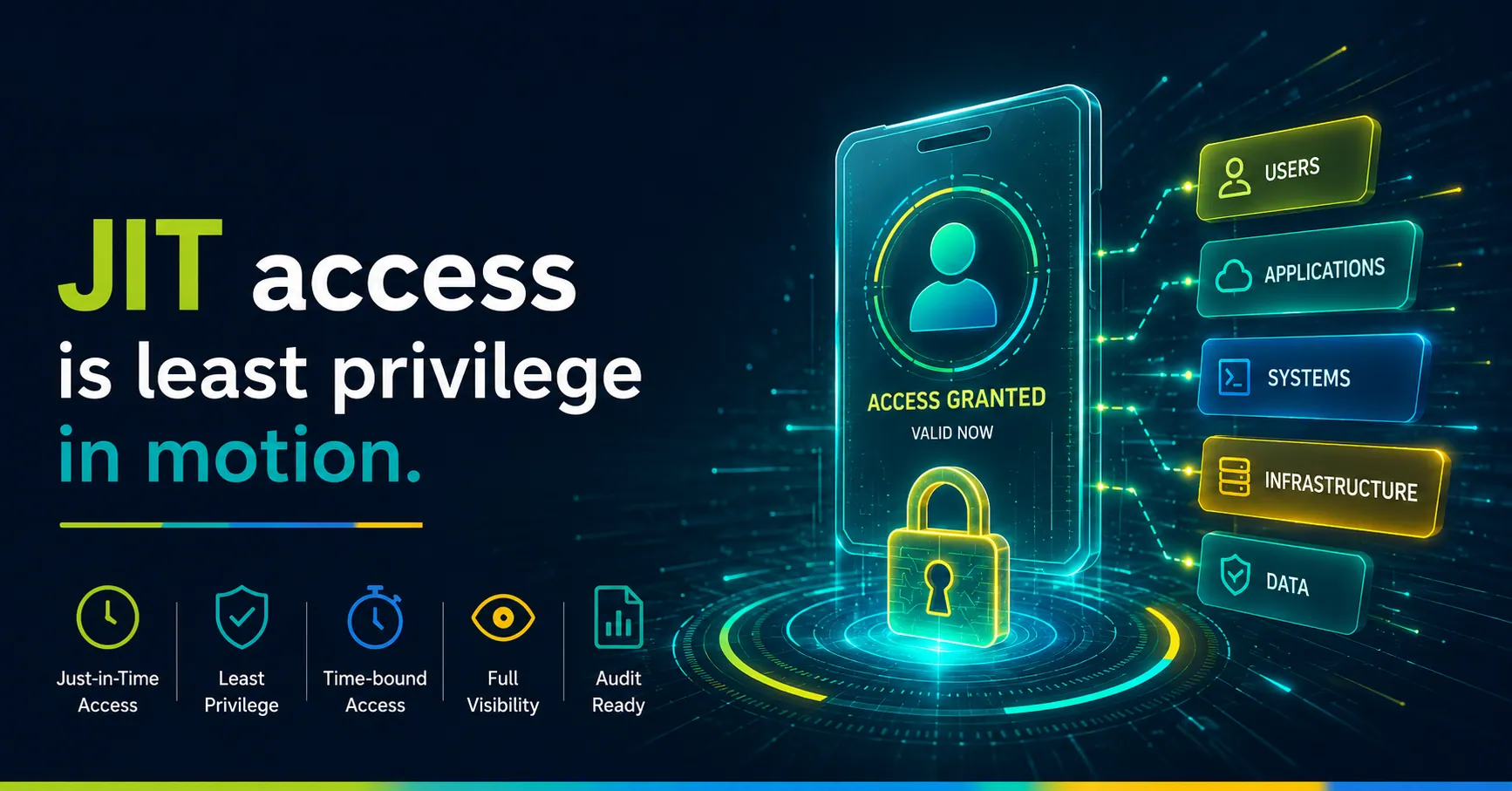
From there, teams move toward just-in-time access. Instead of granting permanent permissions, they allow access when needed and remove it automatically.
This alone reduces exposure significantly.
The next step is eliminating standing privileges wherever possible. This is where the biggest impact happens. If access doesn’t exist by default, it can’t be misused.
Regular access reviews bring control back into the system. Not as a compliance exercise, but as a way to maintain visibility.
Finally, monitoring closes the loop. Knowing what users do with access matters as much as knowing who has it.
When these elements come together, privileged access stops being a blind spot and becomes a controlled system.
What Good PAM Looks Like Today
Modern privileged access management has moved beyond simple credential storage.
It now focuses on controlling access dynamically, based on identity, context, and need.
The strongest implementations I’ve seen share a few traits.
Access is not permanent. It is requested, approved, and time-bound.
Permissions align closely with roles, not individuals.
Non-human identities are treated with the same level of control as users.
Monitoring is continuous, not periodic.
And most importantly, the system is designed for adoption. If it slows teams down, they will find ways around it.
That’s where many implementations fail.
Where Most Teams Get It Wrong
The biggest mistake is treating privileged access as a compliance requirement.
Teams implement controls to pass audits. They generate reports. They check boxes.
But they don’t change how access actually works.
That approach doesn’t hold up in real environments.
Attackers don’t care about compliance frameworks. They care about access paths.
If your controls don’t reduce those paths, they don’t reduce risk.
The shift has to be from compliance to control.
From documentation to actual enforcement.
Final Thought
Uncontrolled privileged access doesn’t fail loudly. It builds quietly until something goes wrong.
That’s why it gets ignored for so long.
But once you start looking at it closely, the patterns become obvious.
Access that shouldn’t exist. Permissions that don’t get reviewed. Accounts that nobody owns.
Fixing it doesn’t require more tools. It requires a different approach to how access is created, managed, and removed.
Because at the end of the day, most breaches don’t start with an exploit.
They start with access.
FAQs
1. What is uncontrolled privileged access?
Uncontrolled privileged access means users, admins, service accounts, or applications have elevated permissions without clear ownership, review, monitoring, or expiry.
2. Why is uncontrolled privileged access risky?
It creates hidden attack paths. If attackers steal privileged credentials or abuse an account, they can access critical systems, move laterally, or escalate privileges.
3. What causes excessive privileged access?
It usually grows from temporary admin rights, shared admin accounts, dormant privileged accounts, unmanaged service accounts, and weak access review processes.
4. How does PAM reduce privileged access risk?
Privileged Access Management helps control privileged accounts, enforce least privilege, monitor sessions, record activity, and create audit trails for sensitive access.
5. What is just-in-time privileged access?
Just-in-time access grants elevated permissions only when needed, for a limited time, and then removes them automatically after the task ends.
6. What are zero standing privileges?
Zero standing privileges means no user or account holds permanent privileged access. Access gets created only for approved tasks and removed immediately after use.
7. How often should privileged access reviews happen?
High-risk privileged access should be reviewed monthly or quarterly, depending on compliance needs, system sensitivity, and business risk.
8. What are signs of a privileged access problem?
Common signs include shared admin accounts, dormant privileged accounts, unclear ownership, manual access reviews, weak audit trails, and slow removal of old permissions.