AI agent security is no longer only about logging what an agent did after the fact. The real question is whether the agent should be allowed to act before the action happens.
That shift matters.
AI agents are not normal software scripts. They can reason through a task, call tools, fetch data, trigger workflows, and make decisions at runtime. One prompt can turn into five tool calls, three API requests, a database query, and a production action.
Traditional security controls were not designed for that level of autonomy.
Most access systems still ask:
“Is this identity allowed?”
AI agent security needs a sharper question:
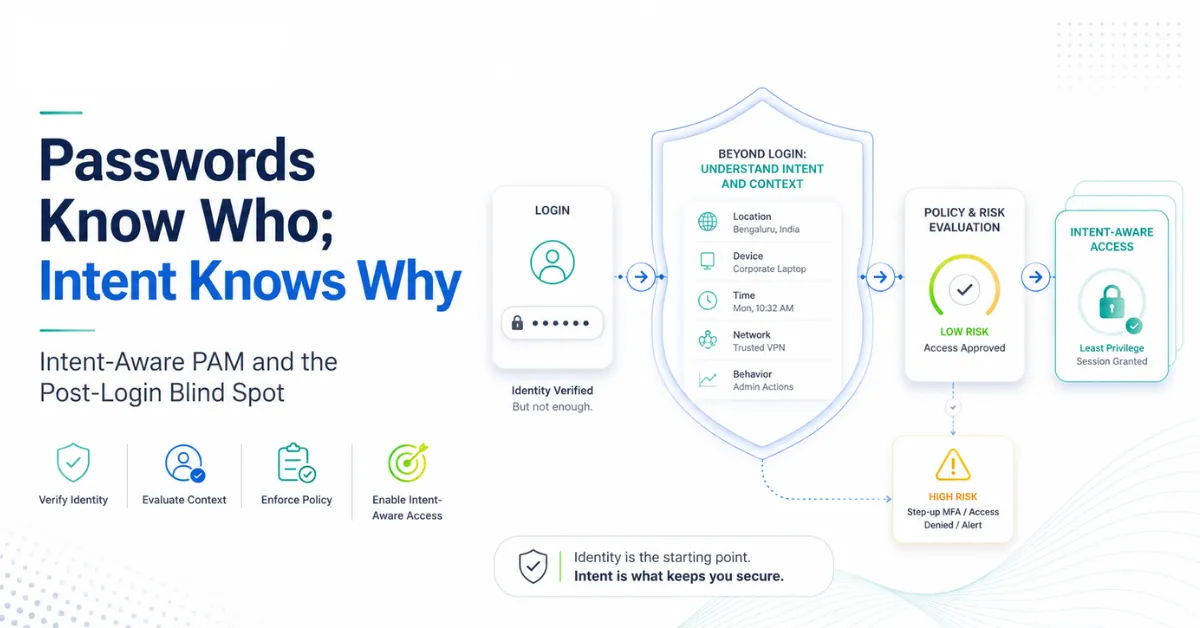
“Is this action allowed for this task, this user, this resource, this moment, and this intent?”
That is where runtime authorization becomes critical.
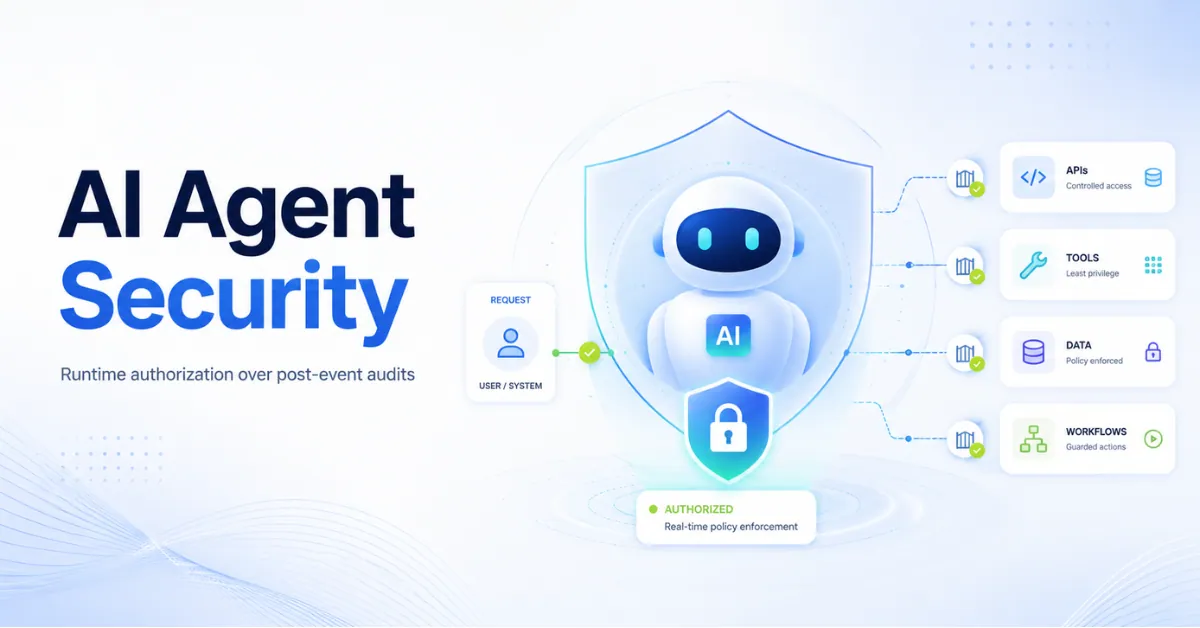
Post-event audits tell you what went wrong. Runtime authorization helps stop the wrong action before it runs.
This is closely connected to Intent-Aware PAM, where access decisions move beyond “who is allowed” and start asking whether the action still matches business intent.
Quick FAQs on AI Agent Security
What is AI agent security?
AI agent security is the practice of controlling how autonomous agents access systems, data, tools, APIs, and workflows. It covers identity, authorization, tool invocation, data boundaries, audit trails, and runtime behavior. The goal is to make sure agents act within approved business intent.
Why is runtime authorization important for AI agents?
Runtime authorization checks each sensitive action when the agent is about to perform it. That matters because AI agents can choose tools and actions dynamically. Static roles may allow access, but runtime checks decide whether the action still matches the approved task.
How is runtime authorization different from post-event audits?
Post-event audits review what happened after the action is complete. Runtime authorization evaluates the action before execution. In AI agent security, this difference is huge because agents can trigger high-impact actions in seconds.
What is MCP security?
Model Context Protocol security focuses on how AI agents safely connect with external tools, systems, and data sources through MCP. It requires strong tool governance, permission boundaries, identity checks, prompt-level controls, and runtime access control.
How should enterprises start with AI agent governance?
Start by finding where agents exist, what tools they can call, and which data they can access. Then give each agent a clear identity, owner, scope, policy, and audit trail. High-risk agents should never run with broad standing privileges.
Why Post-Event Audits Are Not Enough
Audit logs matter. They help security teams investigate incidents, prove compliance, and understand what happened inside a session. But logs are not control. They are evidence.
That distinction matters in AI agent security.
A human admin may take minutes to move from one system to another. An AI agent can act across tools much faster.
If the agent has access to Slack, Jira, GitHub, a database, a CRM, and a cloud console, the blast radius can grow quickly.
- Pulled sensitive data
- Called an unsafe API
- Changed a production setting
- Created a new credential
- Triggered a deployment
- Shared internal data with the wrong system
- Escalated access through a connected workflow
The Core Problem: “Allowed To” Is Not “Meant To”
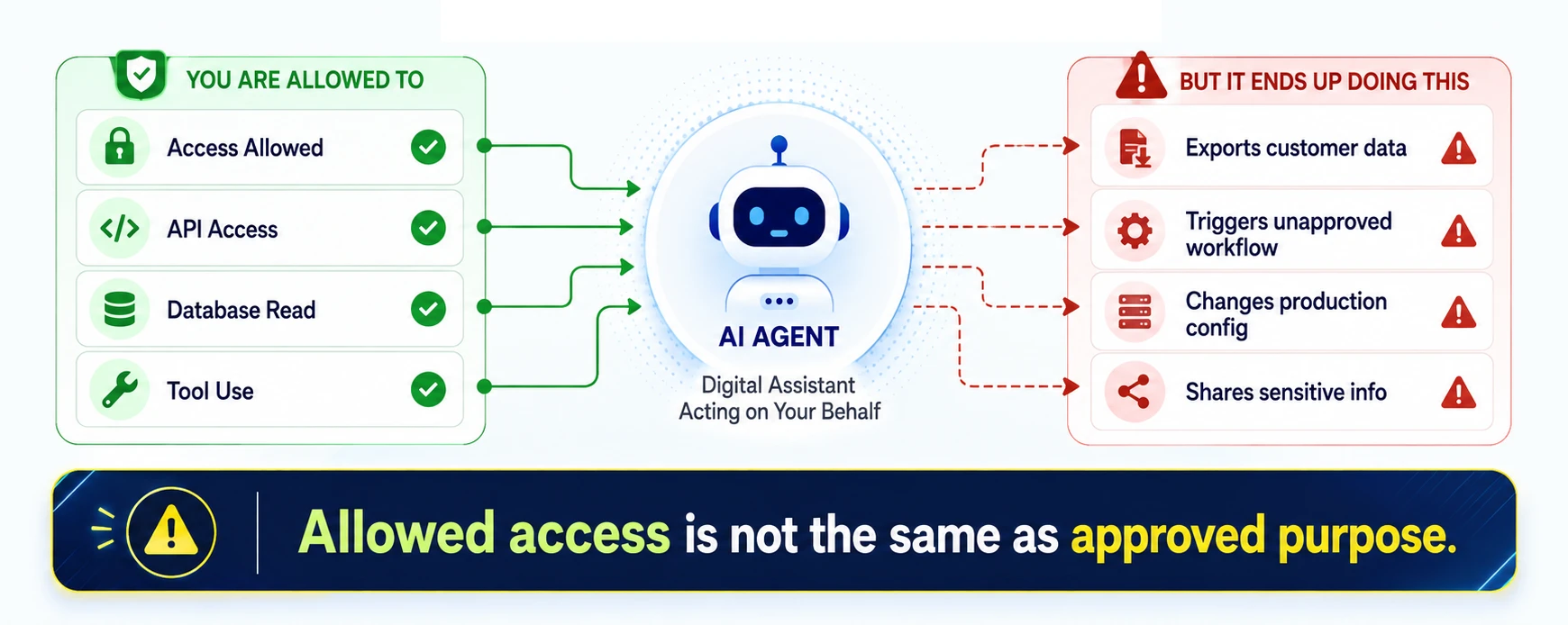
AI agents expose a gap that security teams already know from privileged access management.
A user may be allowed to access a system. That does not mean every action inside that system is valid.
The same applies to agents.
An agent may be allowed to read tickets. It may be allowed to query a knowledge base. It may be allowed to call a customer API. Each permission may look reasonable in isolation.
But the chain of actions can cross the line.
For example, a support agent receives a prompt to summarize a customer issue. It checks the ticket, reads internal notes, queries account data, and then calls an export API. Technically, it had access. But was it meant to export that data?
This is the “allowed to vs. meant to” gap.
AI agent security must close that gap.
Why Static Permissions Break Down
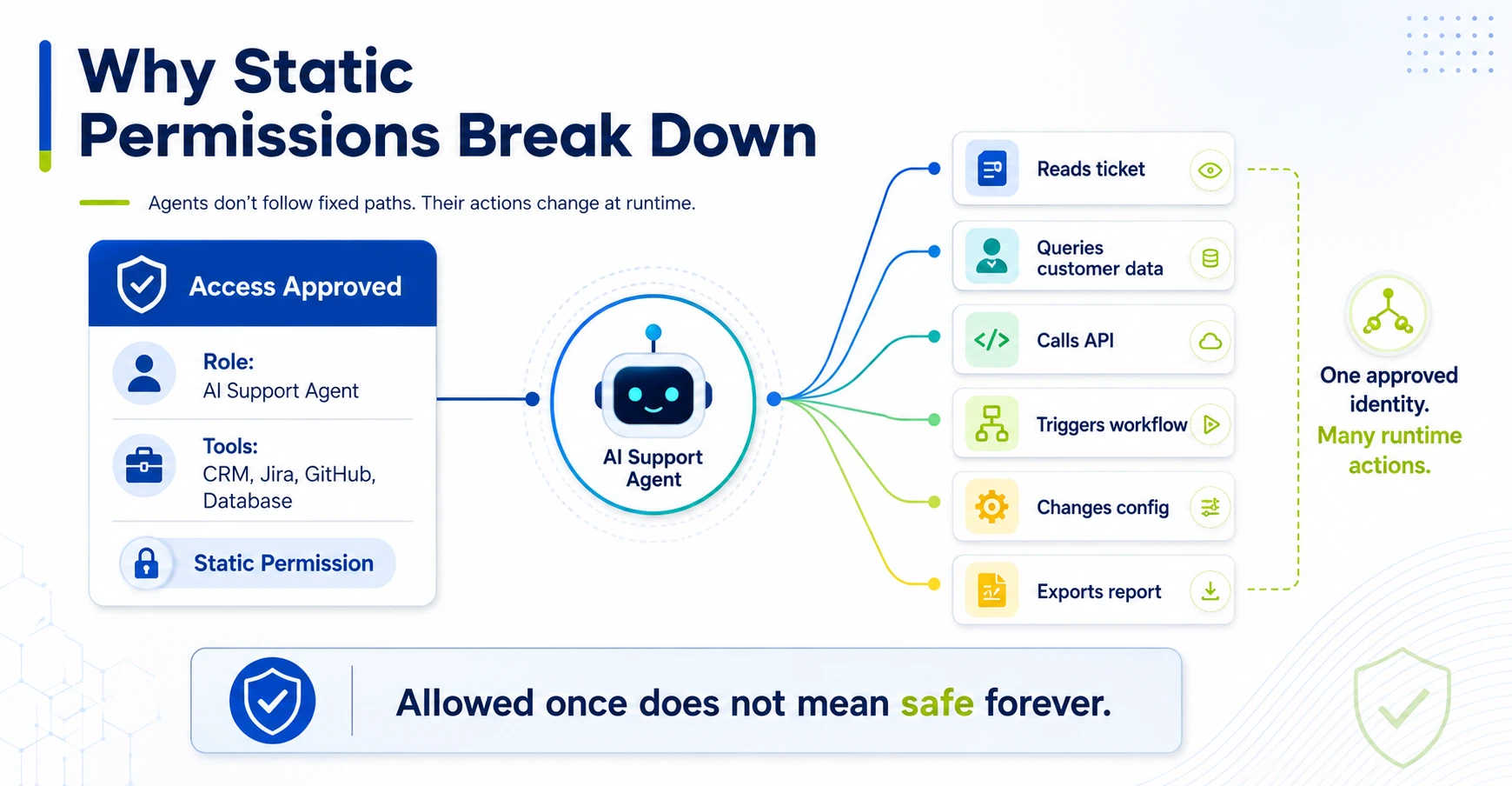
Static permissions work well when behavior is predictable.
AI agents are different.
They make decisions at runtime. They may choose tools based on the prompt, context, memory, available plugins, previous responses, or hidden system instructions. They may act through connectors, APIs, MCP servers, workflow engines, and service accounts.
A static role cannot describe every possible path.
This is why traditional access models struggle with AI agent governance. They were built around human users, fixed roles, and known applications. Agents blur those boundaries.
A single agent can behave like:
- A user
- A service account
- A workflow engine
- A data analyst
- A support operator
- A developer assistant
- A privileged automation script
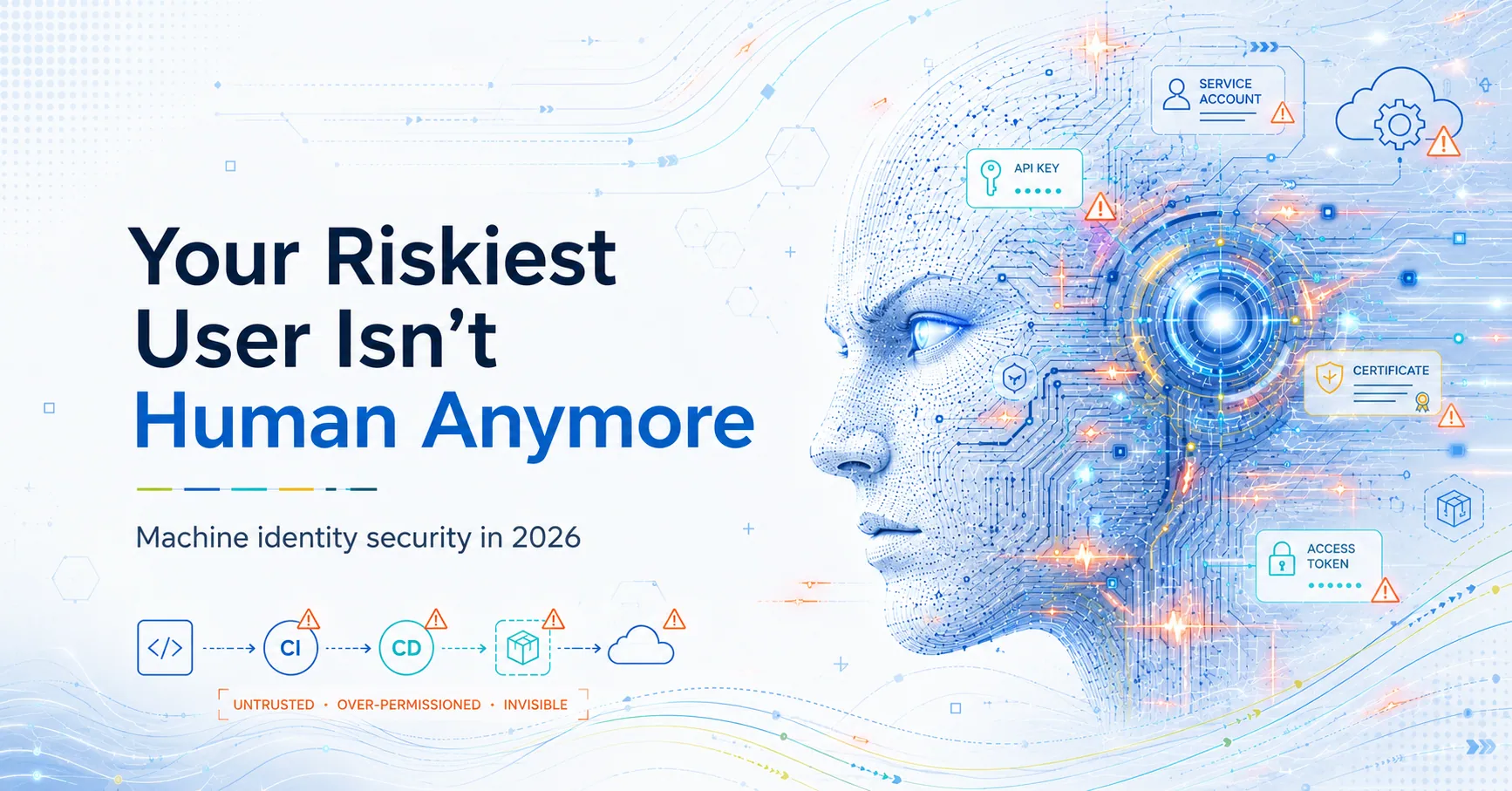
That makes AI agents a new class of non-human identities. They should be governed alongside machine identity security for pipelines, because both depend on service accounts, API access, runtime actions, and non-human identity controls.
They need identity. They need policy. They need ownership. They also need runtime access control.
Runtime Authorization: The Control Point AI Agents Need
Runtime authorization means access is checked at the moment of action.
Not only at login.
Not only when the agent starts.
Not only when the API token is issued.
The system evaluates each sensitive step before it runs.
A strong runtime authorization model checks:
- Which agent is acting?
- Which human, process, or ticket started the task?
- What tool is being called?
- What data is being requested?
- Which system will be changed?
- Is this action inside the approved purpose?
- Is the risk level acceptable?
- Should the action run, be blocked, or need approval?
This is how AI agent security moves from passive visibility to active control.
The goal is not to slow every action. The goal is to stop unsafe actions without blocking useful work.
Model Context Protocol Security and Tool Invocation Risk
MCP gives agents a cleaner way to connect with tools and data sources. That makes agent workflows easier to build.
It also creates a serious security question.
Which tools should an agent be allowed to discover, call, and combine?
Tool access is not harmless. A tool can read files, query databases, update tickets, send emails, change cloud settings, open pull requests, or trigger deployments.
MCP security must include:
- Tool allowlists
- Tool identity checks
- Scoped permissions
- Input validation
- Output filtering
- Prompt injection defenses
- Data access boundaries
- Runtime policy enforcement
- Audit trails for every tool call
Without this, an agent may pass a basic permission check but still perform an unsafe action through a trusted tool.
That is the risk most teams underestimate.
The Runtime Trust Gap
Every AI agent has a trust gap.
At design time, the team defines what the agent should do.
At runtime, the agent decides what to do next.
That gap is where risk lives.
For simple use cases, static controls may be enough. A chatbot that answers FAQs from public content has limited risk. But an agent that can access internal systems, customer data, cloud resources, code repositories, or production workflows is different.
The more tools an agent can call, the more runtime control it needs.
The more data it can access, the more context checks it needs.
The more privileged actions it can perform, the less acceptable post-event auditing becomes.
Where Traditional PAM Falls Short
Privileged access management is still important. Vaulting, rotation, session recording, approval workflows, and least privilege still reduce risk.
PAM built only for human admins cannot fully handle AI agents.
AI agents do not always log in through a jump server. They may use API tokens, OAuth scopes, service accounts, workload identities, or MCP tool connections.
They do not always follow a fixed session path. They may not click or type. They may call tools directly.
This is where intent-aware PAM and Zero Standing Privilege become relevant.
Limit
Give the agent only the access needed for the task.
Check
Check sensitive actions at runtime before they execute.
Remove
Remove standing privileges wherever possible.
Record
Record every decision for visibility, audit, and review.
Risk Scenario: The Helpful Agent That Went Too Far
Imagine a DevOps team deploys an internal AI agent to speed up incident response.
The agent can read alerts, check logs, search runbooks, open Jira tickets, and suggest fixes. Later, the team connects it to GitHub and the deployment pipeline.
At first, this feels useful.
Then an engineer asks:
“Fix the failed deployment and push the safest patch.”
The agent reads logs, identifies a config issue, opens a pull request, modifies a pipeline step, and triggers a build. The build passes. The deployment starts.
But the agent also changed a setting outside the approved change window.
No one wanted that.
The identity was valid. The tool calls worked. The audit log captured everything.
But runtime authorization should have stopped the deployment action and asked for approval.
That is the difference between agent visibility and agent control.
What Good AI Agent Security Looks Like
Good AI agent security is not one control.
It is a layered operating model.
1. Agent Inventory
Security teams need to know which agents exist, who owns them, what they do, and which systems they touch. Shadow agents are a governance failure waiting to happen.
2. Unique Agent Identity
Each agent should have its own identity. Avoid shared human accounts. Avoid generic service accounts where ownership is unclear.
3. Least Privilege by Task
Do not give broad access because the agent might need it later. Scope access to the task, tool, data type, environment, and business purpose.
4. Runtime Authorization
Check sensitive actions before execution. High-risk actions should require extra policy checks or human approval.
5. Tool-Level Controls
Agents should not freely discover or call every tool. Tools need allowlists, scopes, and usage constraints.
6. Data Boundaries
Limit what data the agent can read, combine, summarize, export, or send to another system.
7. Continuous Monitoring
Watch behavior during execution. Look for unusual tools, new data access, large exports, privilege changes, or actions outside normal patterns.
8. Audit Evidence
Capture who started the task, what the agent did, which tools it called, which policies applied, and what was blocked or approved.
What Zenxsys Can Offer
Zenxsys can help enterprises think beyond basic AI adoption and design secure access patterns for agentic systems.
“What can this agent reach, what can it do, and who can prove those actions were allowed?”
AI Agent Risk Assessment
Map where agents exist, what tools they call, and which systems they can affect.
Privileged Access Architecture Review
Review how agentic workflows interact with admin access, production systems, and sensitive data.
Runtime Authorization Design
Define control points that check sensitive actions before agents execute tool calls or API requests.
Non-Human Identity Governance
Bring agents, service accounts, bots, keys, and workloads into a clear ownership and review model.
Zero Standing Privilege Roadmap
Reduce permanent access by moving toward temporary, task-based, and policy-driven access.
Secure Remote Access Strategy
Design safer access paths for administrators, vendors, engineers, and high-risk operational users.
PAM and IAM Modernization
Align privileged access, identity governance, cloud access, and agent access under one control model.
Audit-Ready Access Workflow Design
Create request, approval, access, action, and evidence flows that security and audit teams can trust.
Planning to deploy AI agents across enterprise systems?
Talk to Zenxsys about designing runtime authorization, intent-aware access, and privileged access architecture for AI-driven environments.
Teams still building their access model can also review these just-in-time access use cases to understand where temporary, task-based access delivers quick security wins.
AI Agent Security Checklist for CISOs
Use this checklist before scaling agents across the business:
- Do we know which AI agents are active today?
- Does every agent have a unique identity and owner?
- Which tools can each agent call?
- Which agents can access customer data, production, code, or cloud systems?
- Are high-risk actions checked at runtime?
- Do we separate “allowed access” from “approved intent”?
- Can we block unsafe API calls before execution?
- Do agent permissions expire when the task ends?
- Are MCP tools governed by policy?
- Can we produce audit evidence for agent actions?
If the answer is “no” to most of these, your agent program is moving faster than your control model.
Conclusion: AI Agent Security Needs Runtime Control
AI agent security cannot depend only on post-event audits.
Logs help after something happens. Runtime authorization helps decide whether the action should happen at all.
That is the shift security leaders need to make.
AI agents are becoming operational actors. They can access data, trigger workflows, call APIs, and interact with privileged systems. Treating them like normal applications or generic service accounts is risky.
The future model is clear.
Identity tells you who the agent is.
Context tells you where and how it is acting.
Intent tells you why the action is happening.
Runtime authorization decides whether the action should proceed.
That is how enterprises move from passive agent monitoring to active AI agent security.
Final CTA
Planning to deploy AI agents across enterprise systems?
Talk to Zenxsys about designing runtime authorization, intent-aware access control, and privileged access architecture for AI-driven environments. For secure administrator and vendor access, explore Managed Apache Guacamole Access Services.
Planning to deploy AI agents across enterprise systems?
Talk to Zenxsys about designing runtime authorization, intent-aware access control, and privileged access architecture for AI-driven environments.
Explore ZenXPAM PAM